
Working from the sofa sounds comfortable until you have spent three hours balancing a laptop on your knees, searching for a charger and trying to ignore everything happening around you.
A thoughtfully planned home office solves more than that immediate inconvenience. It creates a defined place for concentration, meetings, paperwork, creative thinking and the small routines that help separate work time from the rest of your day.
The best workspace isn’t necessarily a large room filled with expensive furniture. A quiet corner with the right desk height, comfortable chair, sensible lighting and organized storage can outperform an impressive office that ignores how its owner actually works.
That distinction matters.
A productive workspace should be designed around tasks first and appearance second. Where will the computer sit? How many screens are needed? Do you regularly read documents? Are video calls part of the day? Does the room receive harsh afternoon sunlight? Where will cables, notebooks and equipment go?
Answering those questions gives you the foundation for a home office design that works in real life.
This guide covers the complete process, from choosing a location and planning the layout to ergonomics, lighting, furniture, storage, technology, color and small-space solutions.
What Makes a Good Home Office?
A good home office balances five things:
- Comfort
- Concentration
- Ergonomics
- Organization
- Visual appeal
People often begin with furniture shopping, but furniture should come later.
Start with behavior.
Think about what you do during an ordinary working day. Someone who spends eight hours on a computer needs a different setup from an architect reviewing drawings, a consultant conducting video calls or a creative professional switching between digital and physical work.
A practical workspace design reduces unnecessary movement and keeps frequently used items within comfortable reach.
It also considers distractions.
A visually beautiful desk positioned beside the television may not be particularly useful. Likewise, squeezing a workstation into an unused corner without checking lighting, electrical outlets or chair clearance can create daily frustration.
The goal isn’t simply to create somewhere you can work.
It is to create somewhere that makes working easier.
Start With the Right Home Office Location
Before thinking about paint colors or desk styles, decide where the workspace belongs.
A separate room is ideal when available because a door provides privacy and a clear boundary between work and household activity. Many homes, however, don’t have an unused room waiting to become an office.
That doesn’t mean a functional workspace is impossible.
Dedicated Room
A spare bedroom, study or unused guest room offers the greatest flexibility.
You can usually accommodate:
- A larger desk
- Multiple monitors
- Closed storage
- Bookshelves
- Printer stations
- Video-call backgrounds
- Lounge or reading chairs
A dedicated room also gives you more control over sound and lighting.
Bedroom Office
A bedroom office can work surprisingly well when space is planned carefully.
Try to create visual separation between the sleeping and working areas. A narrow bookcase, rug, change in wall color or strategic furniture placement can make the desk feel like its own zone.
Avoid positioning the workstation so the bed dominates your video-call background.
More importantly, keep paperwork and equipment contained rather than allowing work materials to spread throughout the room.
Living Room Office
A living room often provides better natural light and more available wall space than a bedroom.
The challenge is making the workstation look intentional when work finishes.
Consider a slim desk, attractive storage cabinet or built-in workstation rather than furniture that resembles a corporate cubicle.
A desk positioned behind a sofa can also create an effective boundary without constructing a wall.
Closet Office
The so-called “cloffice” can turn an underused closet into a surprisingly practical small home office.
Remove unnecessary hanging rails, install a work surface and use vertical shelving for storage.
Good lighting becomes especially important because closets often lack windows.
Hallway or Landing
A wide hallway or upstairs landing can accommodate a shallow desk if circulation remains comfortable.
This arrangement works best for occasional computer use rather than work requiring privacy or frequent calls.
Under the Stairs
The awkward area beneath a staircase can become useful workspace.
Custom shelves can follow the stair angle while the deeper section accommodates the desk.
Just check head clearance before committing to the layout.
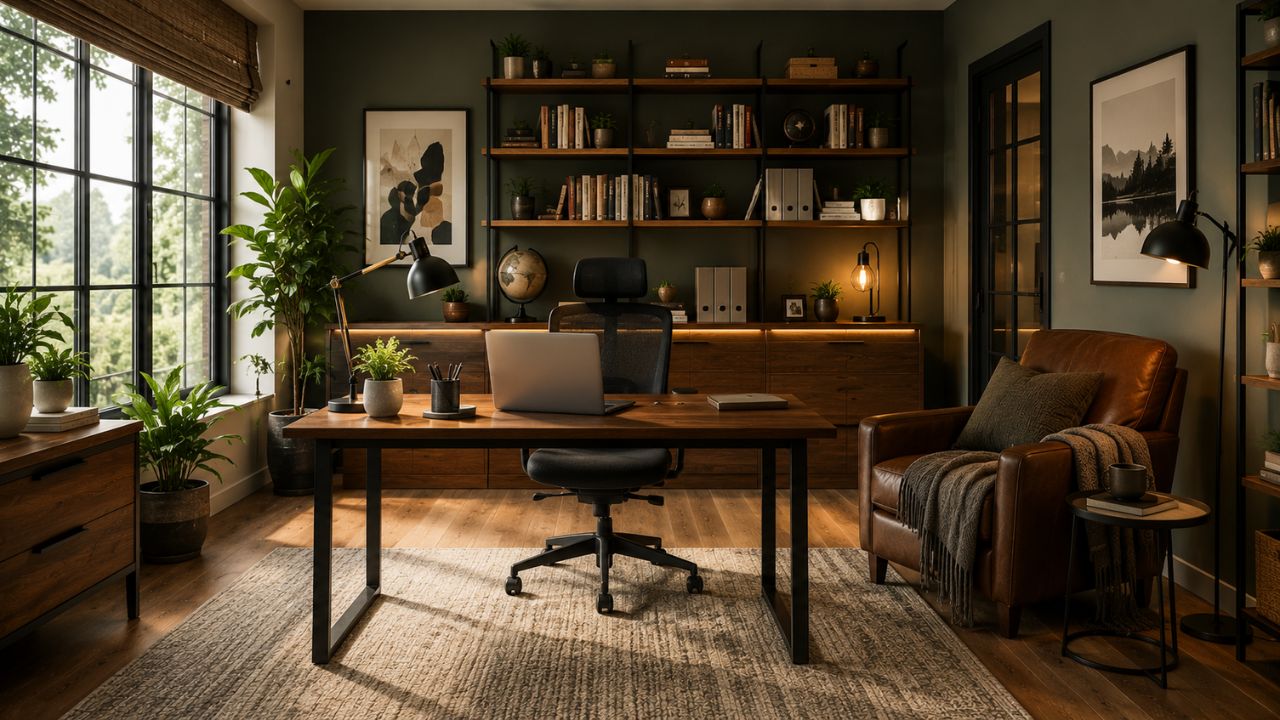
Home Office Layout: Plan Movement Before Furniture
A successful home office layout isn’t determined by room size alone.
It depends on how efficiently the available area is used.
Start by measuring:
- Room width and length
- Ceiling height
- Windows
- Doors and door swings
- Electrical outlets
- Heating or cooling vents
- Built-in features
Then measure your furniture.
Don’t rely on product photographs. A desk that looks compact online can dominate a small room once the chair and movement space are included.
Keep the Primary Work Zone Simple
Your computer, keyboard and mouse should occupy the main work zone.
Frequently used objects belong nearby. Items used occasionally can move into secondary storage.
This sounds obvious, but many cluttered offices are actually zoning problems rather than storage problems.
The printer doesn’t need prime desk space if it is used twice a week.
Your mouse does.
Think Vertically
Small rooms frequently have more available wall area than floor area.
Use it.
Wall-mounted shelving, pegboards and tall cabinets provide home office storage without consuming valuable working space.
Avoid Blocking Natural Light
A large cabinet directly beside a window can make a small office feel noticeably darker.
Keep taller storage on solid walls where possible and allow daylight to travel through the room.
Home Office Ergonomics: Design Around Your Body
A stylish workspace loses its appeal quickly if your neck, shoulders or wrists become uncomfortable.
Home office ergonomics should therefore influence furniture selection and equipment placement from the beginning.
The Occupational Safety and Health Administration recommends neutral working positions in which the head faces forward, shoulders remain relaxed, elbows stay close to the body and feet receive proper support.
The important lesson is that ergonomic design isn’t about maintaining one supposedly “perfect” position all day.
Movement matters too.
OSHA specifically advises changing working positions periodically rather than remaining still for long periods.
Choose an Ergonomic Office Chair
Your office chair is one of the pieces worth choosing carefully.
Look for:
- Adjustable seat height
- Effective lumbar support
- Suitable seat depth
- Comfortable cushioning
- Adjustable armrests where useful
- Stable base
- Backrest adjustment
OSHA notes that a properly adjusted chair should support the back, legs and arms while helping reduce awkward postures.
Your feet should be supported by the floor or a footrest.
Avoid choosing a chair entirely from photographs. Bodies differ considerably, so a chair praised by one person may feel uncomfortable to another.
If possible, sit in it before purchasing.
Position Your Monitor Correctly
Monitor placement is another small decision with a large effect.
OSHA recommends positioning the primary monitor directly in front of the user, with the top of the screen at or below eye level and the monitor at least 20 inches away.
Exact positioning still depends on screen size, eyesight and individual comfort.
For a dual monitor setup, place the screen you use most directly in front of you. If both monitors receive approximately equal use, placing them together around your central viewing position reduces repeated twisting.
Laptop Users Need Extra Attention
Laptops create an ergonomic compromise because the keyboard and screen are attached.
Raising the screen to a comfortable viewing height also raises the keyboard.
Lowering the keyboard lowers the screen.
For long working sessions, consider placing the laptop on a stable stand and using an external keyboard and mouse.
That allows the display and input devices to be positioned independently.
Keyboard and Mouse Placement
Keep your keyboard and mouse close enough that you don’t repeatedly reach forward.
Your wrists should remain relatively straight rather than sharply angled upward.
A huge desk doesn’t automatically provide better ergonomics. If frequently used equipment becomes scattered across it, the additional space can actually encourage unnecessary reaching.
Choosing the Best Home Office Desk
The home office desk is the physical center of the room, so dimensions matter more than decorative details.
Ask three questions:
- What equipment needs to remain on the desk?
- How much writing or drawing space is required?
- How much floor area can the room comfortably give up?
OSHA recommends enough desk depth to position the monitor at least 20 inches from the user.
Writing Desk
A simple writing desk works well for:
- Laptops
- Light paperwork
- Students
- Occasional remote work
- Small rooms
Its smaller footprint makes it useful for a compact home office.
Computer Desk
A computer-focused desk generally provides more depth and space for monitors, peripherals and accessories.
It is better suited to full working days.
L-Shaped Desk
An L-shaped desk creates two separate work surfaces.
One side might hold monitors while the other remains clear for documents, sketching or meetings.
The downside is obvious: it requires more room.
Measure carefully before buying.
Standing Desk
A standing desk allows you to change working positions throughout the day.
The real benefit isn’t simply standing. It is having the ability to alternate positions.
Sitting for part of the day and standing for another can provide more variety than treating either position as the only correct way to work.
Floating Desk
A wall-mounted or floating desk is useful when floor space is extremely limited.
It can work particularly well in bedrooms, alcoves and hallway offices.
Because there are no conventional legs, the room may also appear less crowded.
Home Office Lighting: Don’t Depend on One Ceiling Light
Poor lighting can make an otherwise excellent office unpleasant.
A practical home office lighting plan uses layers.
Think about three sources:
- Natural light
- Ambient light
- Task light
Use Natural Light Carefully
A window can improve the atmosphere of a workspace, but putting your screen directly in front of strong sunlight isn’t always ideal.
Bright windows behind or reflected in a monitor can create uncomfortable contrast and glare.
OSHA recommends arranging workstations so bright windows and light sources don’t create screen glare; positioning the display at right angles to windows can help.
Best Desk Position Near a Window
Side lighting is often easier to manage than having a bright window directly behind or directly in front of the monitor.
Blinds, shades or curtains allow changing daylight to be controlled throughout the day.
This becomes particularly important for east- and west-facing rooms where sunlight angles change dramatically.
Add Task Lighting
A good desk lamp provides focused illumination for writing, reading and detailed work.
Choose an adjustable model so light can be directed onto the work surface rather than reflected into the monitor.
Don’t Ignore Video Calls
Lighting affects how you appear on camera too.
A window directly behind your chair may cause the camera to expose for the bright background, leaving your face comparatively dark.
Facing soft daylight generally produces a more balanced result.
At night, a soft light placed in front of you is usually more useful than relying entirely on an overhead fixture.
Home Office Storage That Actually Reduces Clutter
Buying more storage isn’t always the answer.
Better storage begins by identifying what needs to be stored.
Divide office items into three groups:
Daily: notebooks, chargers, pens and equipment you constantly use.
Weekly: printer supplies, reference books, folders and secondary equipment.
Archive: records and documents that rarely need immediate access.
Daily items deserve accessible locations.
Archive materials don’t.
That simple hierarchy can dramatically improve desk organization.
Closed Cabinets
Closed office cabinets are useful for visually busy items.
Printers, paper packs, cables and miscellaneous supplies can make a room feel cluttered even when technically organized.
Doors hide that visual noise.
Open Shelving
Floating shelves and open bookcases work better for objects worth displaying:
- Books
- Plants
- Decorative boxes
- Awards
- Framed photographs
- Attractive office accessories
Avoid filling every shelf.
Negative space helps a room feel organized.
Drawer Units
Desk drawers are excellent for smaller objects that otherwise collect on the work surface.
Use dividers rather than turning each drawer into an unorganized container.
Cable Management
Cables can make a beautifully designed office look unfinished.
Consider:
- Under-desk cable trays
- Reusable cable ties
- Cable clips
- Power strips mounted beneath the desk
- Cable sleeves
- Desk grommets
Plan cable management before finalizing furniture placement, particularly with standing desks where cables need enough slack for movement.
Small Home Office Ideas That Make Limited Space Work Harder
Limited square footage requires prioritization.
A small home office should concentrate on the essentials rather than becoming a miniature version of a large corporate office.
Start with the desk.
Choose enough surface area for actual tasks without buying the largest model that physically fits.
Then use vertical storage.
Use Corners
An unused corner can accommodate a compact desk while leaving the center of the room open.
Choose Furniture With Multiple Functions
A cabinet can provide office storage while also supporting a printer.
A desk with drawers reduces the need for a separate pedestal.
A bookcase can create storage and divide a room simultaneously.
Use Wall-Mounted Accessories
Wall organizers can replace desktop organizers.
Floating shelves replace bulky floor cabinets.
A monitor arm can release valuable desk area.
Keep the Floor Visible
The more visible floor area you preserve, the more spacious the room tends to feel.
Furniture on slender legs and wall-mounted storage can help.
Limit Decorative Clutter
Small doesn’t have to mean sterile.
A few meaningful objects usually have greater visual impact than dozens of tiny accessories competing for attention.
Modern Home Office Design Without Making It Feel Cold
A modern home office typically benefits from simple shapes, controlled color and restrained decoration.
But minimalism shouldn’t eliminate personality.
Natural wood, textiles, plants and artwork can soften hard surfaces.
Try combining:
- Clean-lined desk
- Ergonomic chair
- Warm wood
- Neutral walls
- One strong accent
- Soft task lighting
- Limited decorative objects
The result can feel contemporary without resembling a showroom.
Home Office Color Ideas
Color influences how a workspace feels, although there is no universal “productivity color.”
Room size, daylight, furniture and personal preference all matter.
Warm White
Warm whites create a clean backdrop without the harsher effect some cool whites produce.
They pair easily with wood furniture and natural textures.
Soft Green
Muted greens work particularly well with plants, wood and neutral upholstery.
They can provide color without overwhelming a small room.
Blue
Dusty or muted blues can create a calm, structured atmosphere.
Darker blue works well on cabinetry or an accent wall.
Beige and Taupe
Warm neutrals suit offices that need to blend with bedrooms or living rooms.
They also work well with black technology and wooden furniture.
Charcoal
A dark home office accent wall can provide visual depth and create an attractive video-call background.
Use sufficient lighting so the room doesn’t become gloomy.
Home Office Style Comparison
| Style | Best Features | Good For | Watch Out For |
|---|---|---|---|
| Modern | Clean lines, neutral colors | Professional spaces | Can feel impersonal |
| Minimalist | Limited furniture and clutter | Small offices | Too little storage |
| Scandinavian | Light wood, soft neutrals | Bright relaxed spaces | Pale finishes show marks |
| Industrial | Metal, dark finishes, wood | Larger rooms | Can feel visually heavy |
| Traditional | Wood furniture, shelving | Studies and libraries | Bulky furniture |
| Contemporary | Current finishes, mixed textures | Flexible interiors | Trends can date |
| Japandi | Simple forms, natural materials | Calm workspaces | Requires disciplined organization |
The best style is usually a combination rather than a strict category.
Design around function, then choose finishes that suit the rest of the home.
Creating a Professional Background for Video Meetings
The wall behind your chair now matters almost as much as the desk in front of it.
A good Zoom background or video-call backdrop doesn’t require elaborate styling.
Keep it simple.
A bookshelf, artwork, plant or textured wall can provide visual interest without distracting viewers.
Avoid:
- Strong light directly behind you
- Highly reflective surfaces
- Excessive clutter
- Private household information
- Constant movement in the background
Before finalizing the room, open your laptop camera and check the actual frame.
The camera sees the room differently from your eyes.
Technology for a Better Home Office Setup
A productive home office setup doesn’t need to resemble a technology showroom.
Buy equipment based on tasks.
For many desk-based professionals, useful equipment may include:
- External monitor
- Laptop stand or dock
- Keyboard
- Mouse
- Webcam
- Headset
- Speakers
- USB hub
- Surge protection
- Reliable internet connection
Wi-Fi Matters More Than Fancy Accessories
A beautiful workspace with unreliable connectivity becomes frustrating quickly.
If the office is far from the router, test the actual connection from the desk before assuming it will be adequate.
Depending on the home, improved router placement, wired Ethernet or a suitable mesh network may provide more consistent coverage.
External Monitor
A larger computer monitor provides more working area for documents, spreadsheets, design applications and multitasking.
People working primarily from laptops may find this one of the most useful upgrades.
Webcam
An external webcam can offer greater positioning flexibility than the camera built into a laptop.
Place it around eye level when possible to create a more natural camera angle.
Headphones
A comfortable headset helps in shared homes and during frequent online meetings.
Microphone quality may matter more than dramatic audio specifications if calls are the primary purpose.
Home Office Design by Profession
One overlooked part of office planning is that different jobs need different environments.
Writers and Researchers
Prioritize:
- Comfortable keyboard position
- Large monitor
- Bookshelves
- Document storage
- Quiet surroundings
Graphic Designers
Consider:
- Larger display area
- Accurate monitor positioning
- Drawing tablet space
- Equipment storage
- Controlled lighting
Consultants
Focus on:
- Video-call lighting
- Professional background
- Headset
- Reliable internet
- Organized paperwork
Architects and Interior Designers
You may need:
- Deep work surface
- Sample storage
- Drawing space
- Large-format document storage
- Multiple screens
Content Creators
Plan for:
- Camera positioning
- Lighting equipment
- Acoustic control
- Equipment storage
- Flexible backgrounds
This task-first approach creates a more useful home workspace than copying a generic room from a photograph.
Budget Home Office: Where Should You Spend?
You don’t need to replace everything at once.
Prioritize according to the number of hours you spend working.
Spend More On
Chair: Particularly for long desk sessions.
Desk: Correct dimensions matter.
Monitor: Worth considering for intensive computer work.
Lighting: Often inexpensive compared with its effect on comfort.
Save On
Storage doesn’t always need to be expensive.
Simple shelves, reused cabinets and well-organized boxes can perform perfectly well.
Decorative objects can come later.
A budget home office should spend money on comfort and function before styling.
Common Home Office Design Mistakes
Buying Furniture Before Measuring
A large desk can make an average room feel tiny.
Measure first.
Choosing Appearance Over Comfort
An attractive dining chair may look excellent behind a desk but become uncomfortable during long work sessions.
Putting the Monitor Too High
Monitor stands are popular, but raising a screen isn’t automatically better.
OSHA advises keeping the top of the monitor at or below eye level.
Ignoring Glare
If sunlight reflects directly from the screen every afternoon, the desk may simply be in the wrong location.
Underestimating Storage
Paperwork, chargers and accessories accumulate.
Plan storage before clutter appears.
Overdecorating
Your eyes need somewhere to rest.
Leave some walls, shelves and surfaces relatively clear.
Ignoring Sound
Hard floors and empty walls can make calls sound echoey.
Curtains, rugs, upholstered furniture and other soft surfaces can help reduce reflected sound.
Home Office Setup Checklist
Before calling your office finished, check the following:
- Desk fits the available room comfortably.
- Chair provides suitable back support.
- Feet rest securely on the floor or footrest.
- Primary monitor sits directly ahead.
- Monitor height feels comfortable.
- Keyboard and mouse are within easy reach.
- Wrists remain relatively neutral.
- Daylight doesn’t create strong screen glare.
- Task lighting covers the desk.
- Frequently used supplies are accessible.
- Cables are controlled.
- Internet connection is reliable.
- Video-call background is appropriate.
- There is enough storage.
- You can comfortably move around the desk.
- The room still feels pleasant after several hours of use.
This checklist is more valuable than chasing a supposedly perfect aesthetic.
A Practical Home Office Makeover Example
Imagine a spare bedroom measuring roughly 10 by 11 feet.
The existing setup has a small desk facing a wall, a dining chair, printer on the floor and harsh overhead lighting.
Instead of replacing everything decoratively, improve the room according to the biggest problems.
First, move the desk so natural light comes from the side rather than reflecting directly in the screen.
Second, replace the dining chair with an adjustable ergonomic chair.
Third, add a monitor at a comfortable viewing height.
Fourth, move the printer onto a low storage cabinet.
Fifth, add an adjustable desk lamp.
Finally, use the wall above the cabinet for shelving rather than putting another large piece of furniture on the floor.
The room hasn’t become dramatically more complicated.
It has become more useful.
That is the difference between decorating an office and designing one.
Home Office vs Traditional Office Setup
| Factor | Home Office | Traditional Office |
|---|---|---|
| Personalization | High | Usually limited |
| Commute | None | Usually required |
| Furniture choice | User controlled | Employer controlled |
| Privacy | Depends on home | Depends on workplace |
| Noise | Household dependent | Workplace dependent |
| Lighting control | Usually flexible | Often standardized |
| Storage | Personally planned | Usually provided |
| Technology | User/employer dependent | Often centrally managed |
| Space | Often limited | Usually purpose-built |
The greatest advantage of working from home is control.
Use it.
You can position furniture according to your body, select lighting appropriate for your tasks and create storage around your actual workflow.
How to Make a Home Office More Productive
Productivity isn’t created by buying a particular desk.
The environment should simply remove avoidable friction.
Keep tomorrow’s most important materials ready.
Give frequently used objects permanent locations.
Remove objects that repeatedly distract you.
Keep the desk clear enough to begin working without reorganizing it first.
Most importantly, create a clear start and end to the working day.
In a dedicated office, closing the door can provide that boundary.
In a bedroom or living room workspace, shutting the laptop, storing paperwork and turning off the desk lamp can serve a similar psychological purpose.
A productive work from home setup isn’t necessarily the most expensive or photogenic one.
It is the one that makes starting work easy.
Frequently Asked Questions About Home Offices
What is the best way to set up a home office?
Start with a quiet location, then choose a desk and adjustable chair suited to your body and tasks. Position the monitor directly ahead, manage glare, add task lighting and keep frequently used equipment within easy reach. Add storage only after identifying what you actually need to store.
Where should a desk be placed in a home office?
A desk should have enough clearance for comfortable movement and should avoid problematic screen glare. Positioning a monitor roughly perpendicular to windows often helps control reflections while preserving natural light.
What should every home office have?
At minimum, a functional home office needs an appropriate work surface, supportive seating, sufficient lighting, reliable power and a setup suited to the work being performed. Computer-based workers also need appropriate screen, keyboard and mouse positioning.
How can I create a home office in a small room?
Use a compact desk, vertical shelves, multifunctional furniture and wall-mounted storage. Corners, alcoves and closets can become effective work areas when floor space is limited.
What color is best for a home office?
There isn’t one universally best color. Warm whites, muted greens, blues and neutral beige tones are versatile choices. Consider natural light, room size, furniture and personal preference before choosing paint.
Should a home office desk face a window?
It can, but direct sunlight behind a monitor can create excessive brightness and contrast. Side-on daylight often provides easier glare control. Window treatments can help manage changing light.
How can I make my home office look professional?
Use consistent furniture finishes, manage cables, control clutter and create a simple background for calls. Good lighting often makes a bigger difference than expensive decorative accessories.
How big should a home office desk be?
The right size depends on equipment and available room. The work surface should provide enough depth for comfortable monitor viewing and enough width for your keyboard, mouse and other frequently used items without forcing awkward reaching.
Is a standing desk better than a sitting desk?
A standing desk’s main advantage is flexibility. It lets you change position during the day. OSHA recommends changing working positions rather than remaining in one posture for prolonged periods.
How do I make my home office more comfortable?
Start with chair adjustment, monitor position, keyboard and mouse placement, lighting and temperature. Don’t try to solve discomfort with decoration. Fix the physical workstation first.